
At a Glance:
The Technology Evolution Timeline
Emerging Technology Integration
Taking Action on Your Video Conferencing Future
In the modern workplace, seamless, crystal-clear communication is everything. It bridges distances and brings teams together as if they were in the same room. But are you still using outdated systems that sabotage your success and leave poor impressions on clients?
Knowing when to upgrade your technology is key. There's a clear roadmap to making smart decisions that can transform your meetings from technical nightmares into productive powerhouses.
Explore Office Improvements
Create an optimal environment to work with the latest technology. Provide your employees with the best tools to help your business succeed.
Corporate Space UpgradesThe Technology Evolution Timeline
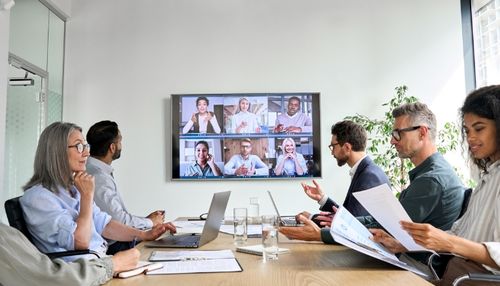
Smartphones have evolved rapidly, and video conferencing equipment is no different. Yet many businesses still rely on outdated systems. Research shows video conferencing equipment should be updated every 3–4 years to keep up with software updates, platform compatibility, and hardware advancements. Platforms like Microsoft Teams and Zoom launch features that older systems can’t support, turning meetings into frustration instead of collaboration.
The Real Cost of Waiting Too Long
Outdated video conferencing systems do more than hurt productivity, they reflect poorly on company culture, innovation, and attention to detail.
Subpar technology has ripple effects. Top talent expects modern, efficient tools, and clients may question a company’s standards when calls drop or video quality is poor. These small issues can lead to big business consequences.
Recognizing the Warning Signs
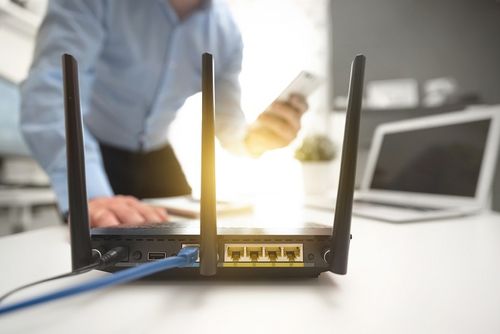
Proactive business leaders don't wait for total system failure to upgrade. They look for subtle signs that it's time for a change.
Performance Degradation Signals
Poor audio quality is often the first red flag. Office microphones might pick up background noise or create echoes. Speakers can develop crackles or inconsistent volume. These issues suggest components are wearing out.
Visual problems also arise. Panel TV displays might show distorted colors, dim brightness, or dead pixels. A video wall could have mismatched colors or timing issues between screens.
Compatibility Challenges
Technology incompatibility is a major source of workplace frustration. When old systems don't work with new platforms, teams are forced to find workarounds, like using personal devices for meetings instead of the conference room setup.
The best video conferencing equipment connects easily with popular platforms. If your system requires multiple adapters and a complicated setup for basic use, it's time for a replacement to boost productivity.
Equipment-Specific Upgrade Considerations
Within a video conferencing system, different components have distinct lifespans and upgrade priorities. Understanding these differences helps organizations make strategic decisions about partial versus complete system overhauls.
Audio Components Longevity
High-quality office microphones and speakers often last 7-10 years. However, evolving connection standards and new features like AI noise cancellation and speaker tracking can make upgrades beneficial. The real question is if current audio limits meeting effectiveness, as modern solutions boost clarity and reduce distractions.
Display Technology Evolution
Panel TV displays and video wall investments typically perform well for 5-7 years. Yet, technological leaps, like the rise of 4K resolution, often justify earlier upgrades. While 1080p displays might still function, 4K content sharing is now standard. Evaluate if enhanced clarity and detail outweigh the investment.
Interactive Components Assessment
Interactive whiteboards and touch displays need more frequent updates due to software integration and calibration. Upgrade decisions here hinge on software compatibility more than hardware life. Industries, especially education and creative fields, gain significant collaboration and UI benefits from regular upgrades.
Strategic Evaluation Framework
Making smart upgrade decisions requires careful evaluation of performance, future needs, and budgets.
Performance Benchmarking Process
Use objective metrics to assess office microphones, speakers, and panel TV displays. Test audio quality, video resolution, color accuracy, and refresh rates for video wall setups. Pair these findings with user experience surveys to uncover issues like setup complexity and reliability that data alone might miss.
Future-Proofing Analysis
Invest in the best video conferencing equipment by planning for team growth, evolving meeting formats, and integration with AI tools. Prioritize systems with cloud-based features and software update capabilities to ensure long-term value without requiring hardware replacements.
Cost-Benefit Calculation Methods
Financial factors drive most upgrade decisions, but they go beyond equipment costs. Productivity, maintenance, and opportunity costs also play a role.
Hidden Costs of Outdated Systems
Aging video conferencing equipment increases IT workloads with compatibility and reliability issues, diverting resources from strategic tasks. Meeting inefficiencies, like audio problems or delayed starts, waste valuable time and hinder team performance.
ROI Optimization Strategies
Timing upgrades strategically during budget cycles can reduce costs and disruptions. Upgrading multiple rooms at once often earns discounts. Partial upgrades, such as replacing office microphones while keeping existing displays, can deliver significant benefits at a lower cost than full system replacements.
Learn more: What Does the Future Hold for Digital Signage Systems?
Implementation Best Practices
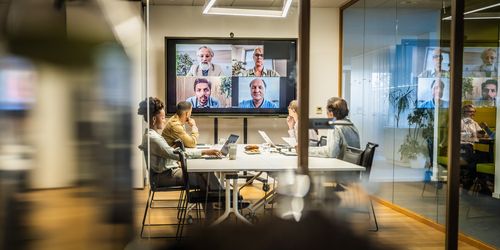
Successful video conferencing equipment upgrades require detailed planning and proper execution. A successful installation goes beyond meeting technical specifications—it must address user adoption and ongoing support to ensure long-term success.
Pre-Installation Planning Checklist
When preparing for an upgrade, consider these key factors:
- Assess the current network's capacity to handle the bandwidth demands of new equipment.
- Evaluate room acoustics and lighting to prevent interference with equipment performance.
- Plan cable routing and power supply needs for any new video wall or display setups.
- Coordinate with IT security teams to ensure proper network integration and access control.
- Schedule training sessions to familiarize staff with the new equipment's features.
User Adoption Strategies
Even the best video conferencing equipment won’t succeed if users struggle to adapt. Comprehensive training is essential, focusing not just on basic operation but also on advanced features to unlock the system's full potential. Hands-on practice sessions are especially effective, giving users the chance to explore in a low-pressure environment.
Upgrading from legacy systems requires strong change management efforts. Clear communication about the benefits, timeline, and impact of the upgrade helps minimize resistance and foster enthusiasm among teams. By focusing on both technical and human factors, you can ensure your investment delivers lasting results.
Emerging Technology Integration

Modern video conferencing systems now incorporate artificial intelligence, cloud computing, and the Internet of Things. These integrations provide strong incentives to upgrade sooner than typical replacement cycles would suggest.
AI-Powered Meeting Enhancement
Artificial intelligence adds features that older systems can't handle. These include automatic camera framing that follows speakers, advanced AI noise cancellation to block out background noise, and real-time transcription and translation. Such features fundamentally improve meeting effectiveness and accessibility, especially for diverse, global teams that benefit from language support and visual enhancements.
Cloud Integration Benefits
Cloud-based video conferencing equipment management lowers on-site IT needs through advanced analytics and remote troubleshooting. Administrators can monitor performance, update software, and resolve problems without entering the conference room. This is particularly useful for organizations with multiple sites or limited on-site IT staff. The resulting operational efficiencies can justify upgrades even for functional systems.
Learn more: Sound Masking Systems - What Businesses Need to Know
Industry-Specific Considerations
Different industries have unique requirements for video conferencing equipment upgrades. Healthcare organizations need HIPAA-compliant systems, financial services demand enhanced security, and creative agencies require color-accurate, high-resolution displays.
Healthcare and Compliance Requirements
Medical practices face strict regulatory demands. Video conferencing systems must support encrypted communications and secure data handling for continued compliance. Telemedicine applications require specialized audio/video capabilities—like high-resolution cameras and advanced microphones, justifying more frequent upgrades than consumer-grade equipment.
Creative and Design Industries
Advertising and design firms rely on color accuracy and high-resolution displays for client presentations. Panel TV displays and video wall setups demand calibration and performance standards exceeding typical business needs. The creative industry's rapid adoption of new tools and formats, such as 4K and emerging 8K content, drives aggressive upgrade timelines for display capabilities.
Making the Upgrade Decision
Deciding when to upgrade your video conferencing equipment involves balancing current performance, business growth, budget, and technology goals. A systematic approach leads to better investments. Hire service providers like Paradyme to ensure you get the best video conferencing equipment that suits your needs.
Decision-Making Framework
A scoring system can bring objectivity to the decision. For example, technical performance could be weighted at 40%, cost at 30%, and future-proofing at 30%. This helps prioritize factors based on what matters most to your organization. Regular audits using this framework enable proactive planning for replacements and budgeting.
Vendor Evaluation Process
Choosing the best video conferencing equipment means looking beyond specs. Evaluate long-term support, upgrade options, system integration, and total cost of ownership. Pilot programs are invaluable, allowing you to test equipment in real-world settings and gather user feedback before making a final choice.
Learn more: 6 Innovative Meeting Room Solutions for the Modern Workplace
Taking Action on Your Video Conferencing Future
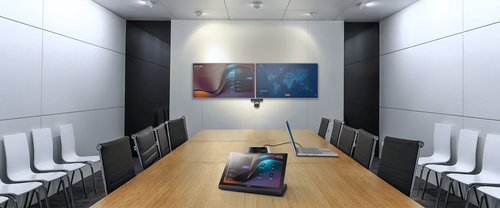
Proactive management of video conferencing equipment is key to avoiding disruptions. Start by auditing current systems, identifying outdated components, and planning upgrades aligned with your goals and budget.
The best video conferencing equipment meets your team’s needs while allowing for future scalability. Partner with trusted providers for objective assessments and smooth implementation.
Upgrading a video conferencing system boosts productivity, enhances your professional image, and minimizes technical issues—an investment that drives real results.
Frequently Asked Questions
Effective video conferencing hinges on three pillars: crystal-clear audio, stable video, and seamless connectivity. Prioritize audio; it's often more critical than video. Modern video conferencing equipment must support various platforms and deliver consistent performance, regardless of meeting size or network conditions.
Video conferencing equipment is vital for business success. Professional systems boost productivity, strengthen client ties, and improve employee satisfaction in today's hybrid world. Quality equipment cuts down on technical snags and communication barriers that cost businesses thousands.
Video conferencing equipment typically lasts 3–4 years, though speakers and office microphones can last 7–10 years, and panel TV displays 5–7 years. Upgrades are often needed earlier due to tech compatibility and software changes.
Frequent audio/video issues, compatibility problems, rising maintenance costs, and user complaints signal it's time for an upgrade. If your video conferencing systems are complex, offer poor meeting experiences, or lack integration with current tools, attention is due. Upgrading also becomes a competitive necessity when clients and competitors use advanced technology.
Why Trust Paradyme?
Since 1976, our Sacramento business has served the northern California region with unparalleled expertise in Hi-Fi systems, TVs, and car audio. With unparalleled expertise, Paradyme progresses the way forward in modern-day solutions. We foster a strong culture of innovation and knowledge to meet our residential and commercial customers' tech needs with state-of-the-art capabilities that remain unrivaled. Our unbeatable reputation speaks volumes about delivering only the best!
Our team of experts has years of experience and industry knowledge under their belt to provide exclusive, luxury-level service in custom electronics for our customers throughout Sacramento and northern California.
Shop Commercial Solutions at Paradyme
At Paradyme, we provide quality top-of-the-line brands for every project. We have experienced technicians who know the right way to install smart home products, car audio and video solutions, home theater options, and much more. Give us a call at 916-481-3900 or stop by today.